 Sipu Jha
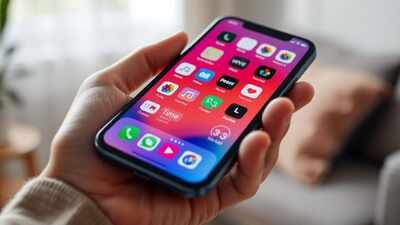
‘The Times of India’ brings you ‘Hack of the Day’ — a new weekday-series of quick, practical solutions to everyday hassles. Each hack is designed to save you time, money or stress, using tools and features within your reach — from government websites to everyday apps. In simple words it is: Simple fixes for smarter living.If you find yourself endlessly scrolling through apps, there’s a simple trick that can help you regain control. By setting time limits in minutes for individual apps, you can manage your screen time more effectively. Major social media apps including Instagram, Facebook and YouTube thankful have the time limit feature. This easy hack works across most smartphones and ensures you stay focused without constantly checking your device. Here’s a step-by-step guide to set time limits for Instagram, Facebook and YouTube
How to set time limit on Facebook
Step 1: Open Facebook app on your smartphoneStep 2: Go to profile and tap on the hamburger menu on the top-right corner
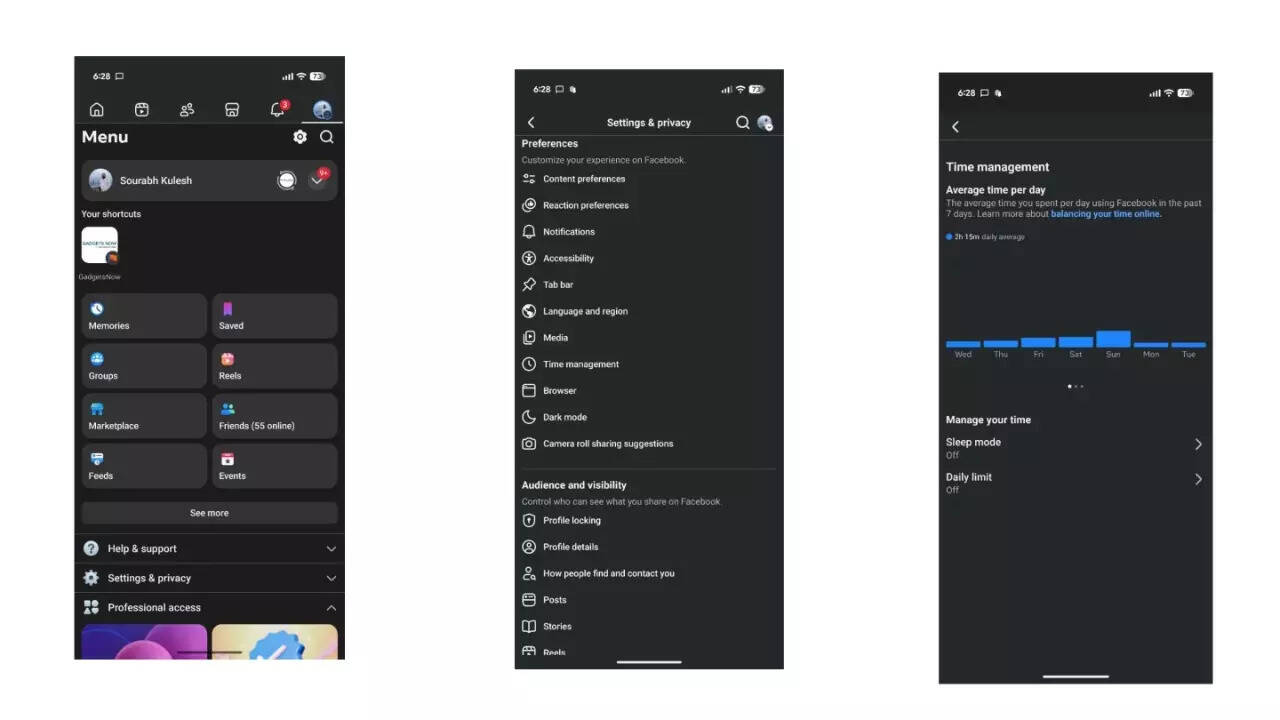
Step 3: Here, tap on SettingsStep 4: Next, scroll down and search for ‘Time Management’ under Preferences sub-menuStep 5: You will see two options under ‘Manage Your Time’: Sleep Mode and Daily LimitStep 6: This will open a pop-up on your screen with the following options:
- 15 minutes
- 30 minutes
- 45 minutes
- 1 hour
- 2 hours
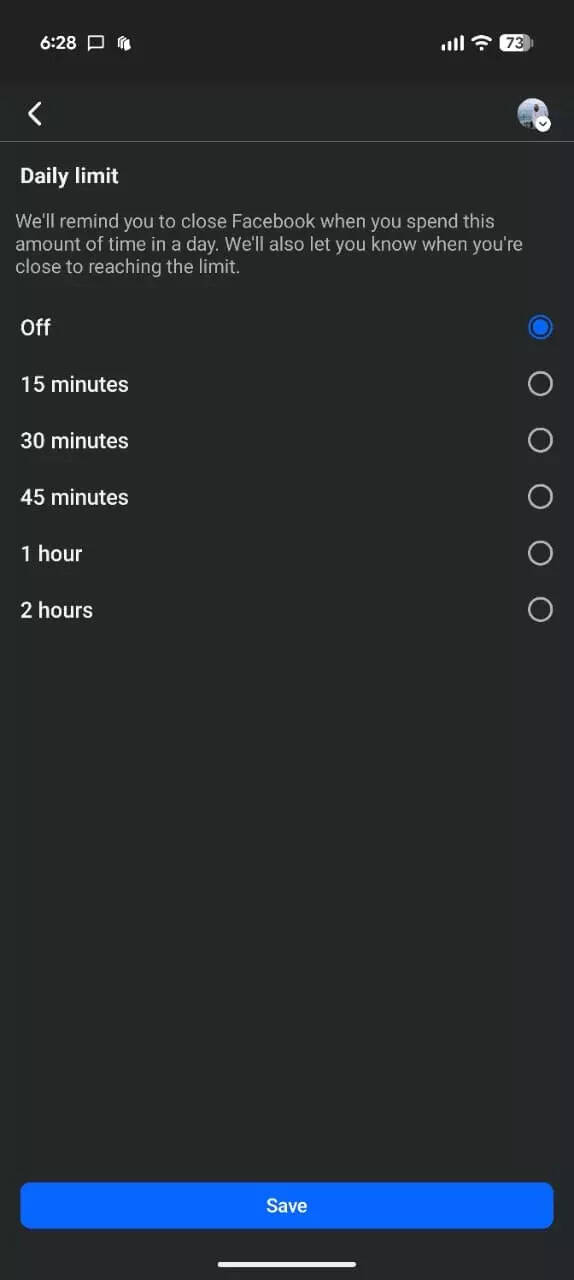
Step 7: Choose as per your preference and the app will start notifying you.
How to set time limit on Instagram
Step 1: Open Instagram app on your smartphone
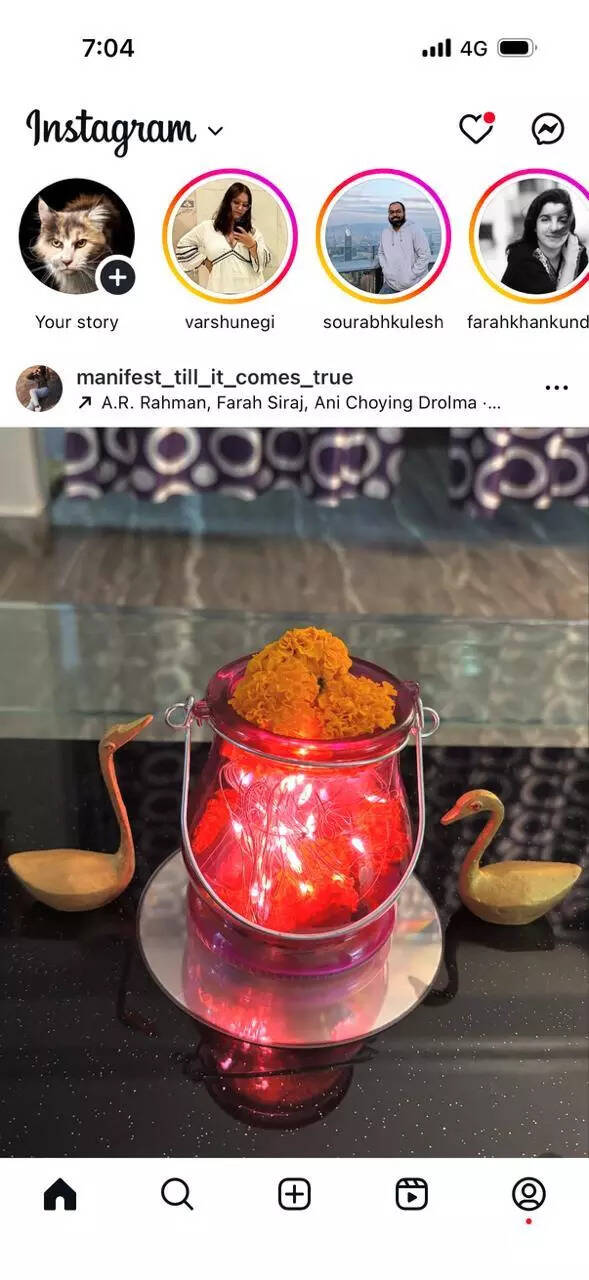
Step 2: Tap on profile and then tap on hamburger menu on the top-right corner
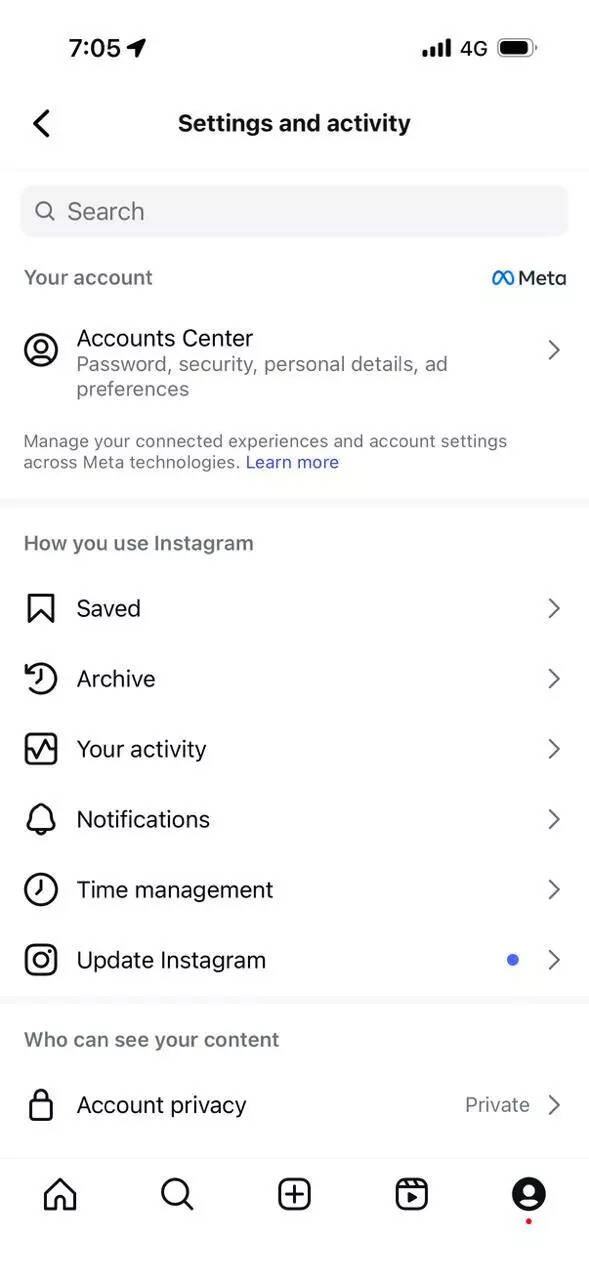
Step 3: Next, tap on ‘Time Management’Step 4: Here, you will see ‘Daily Limit’ option
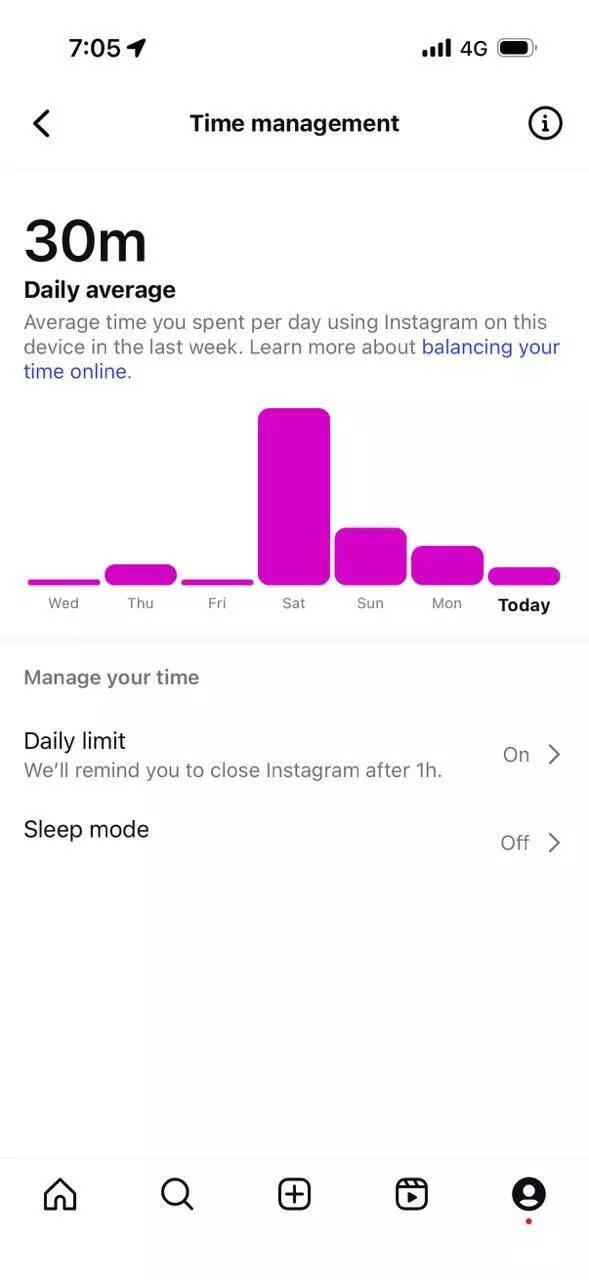
Step 5: This will open a pop-up on your screen with the following options:
- 15 minutes
- 30 minutes
- 45 minutes
- 1 hour
- 2 hours
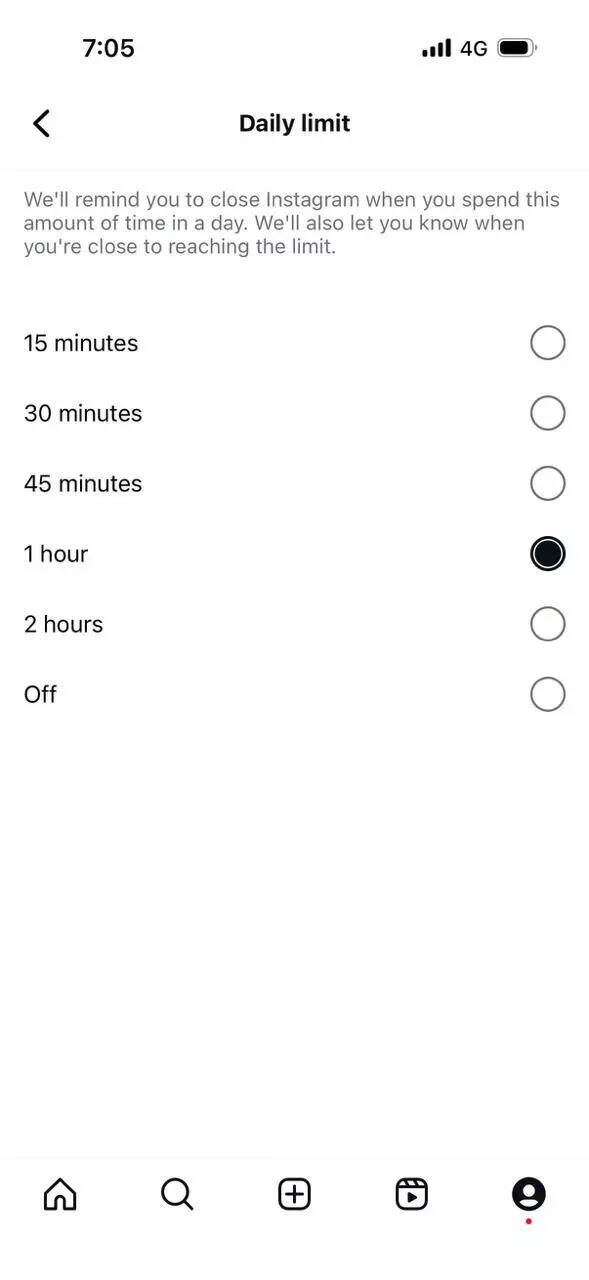
Step 6: Choose as per your preference and the Instagram app will start notifying you once you reach the daily time limit.
How to set time limit on YouTube
Step 1: Open YouTube app on your smartphone

Step 2: Tap on your Profile icon present at the bottom of your screen
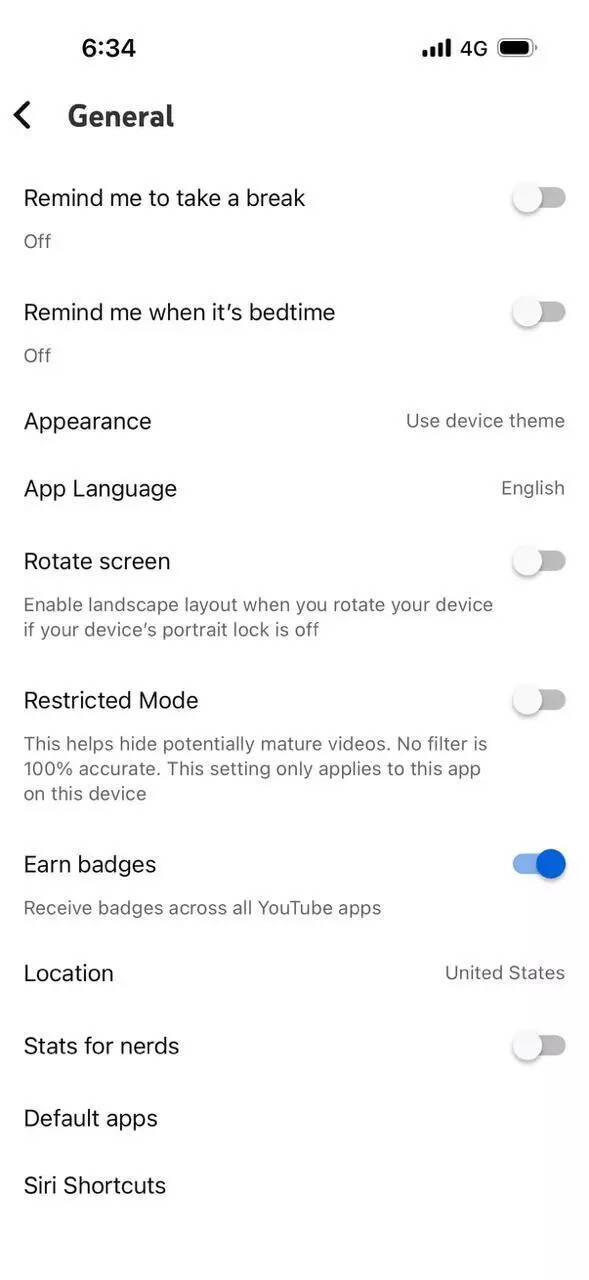
Step 3: Look for the Settings icon on the top-right corner. Tap on itStep 4: Next, tap on General and then tap on Remind me to take a break
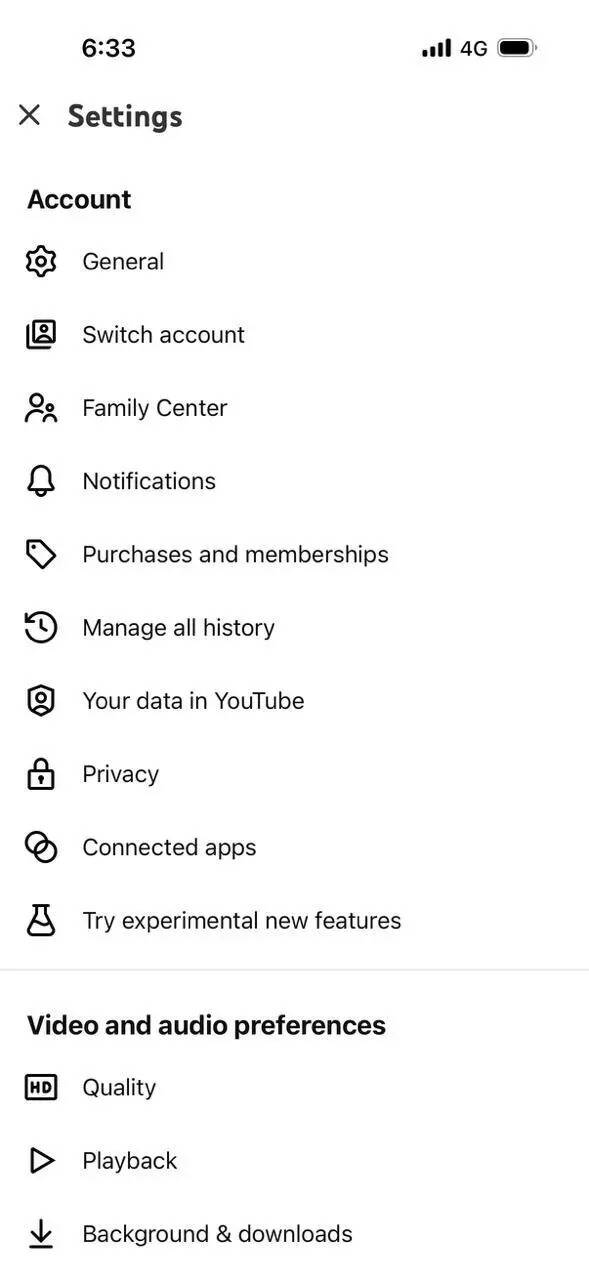
Step 5: This will open a pop-up on your screen with the following options:
- Every 30 minutes
- Every 45 minutes
- Every 1 hours
- Customize
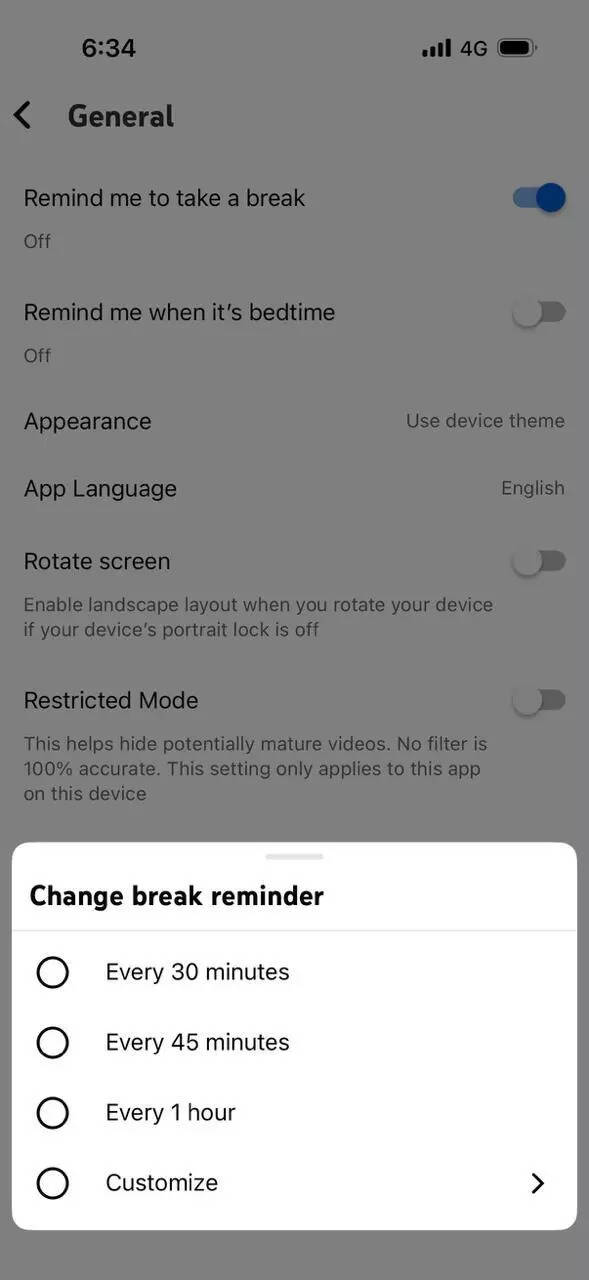
Step 6: Once you select either of these options, YouTube will automatically start sending you reminders to pause and close the app.Disclaimer: Hacks are based on verified public sources. Readers are advised for follow official websites and updated rules.







 हिन्दी
  English