 Sipu Jha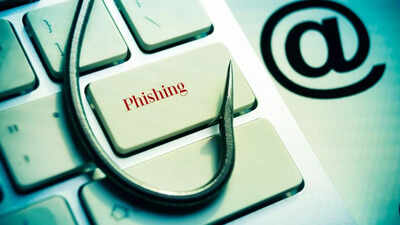
The internet has changed how people work, shop, bank and stay in touch. Bills are paid online. Salaries are credited digitally. Government services are accessed through apps. Emails carry office documents. Social media connects families across continents. But along with convenience has come risk. Cybercrime has grown steadily over the past decade, and one of the most common methods used by criminals is ‘phishing’.Phishing is not a new threat. It has existed since the early days of email. Yet it continues to succeed because it does not rely on complex hacking tools. Instead, it targets human behaviour. It uses fear, curiosity, trust, or a sense of urgency. A fake link can show passwords, bank account numbers, or personal information with just one click.
You need to know what phishing is now. It is a basic skill for living in the digital age. This article talks about what phishing is, how it works, the different types, real-world examples, warning signs, and how people and businesses can protect themselves.
What is phishing and how it works
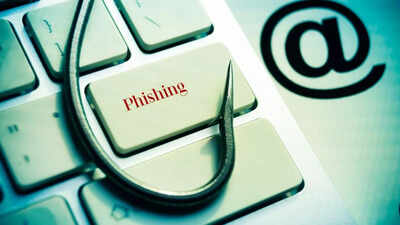
Phishing is a type of cybercrime in which criminals pretend to be someone or something trustworthy in order to get people to give them private information. This information could be passwords, credit card numbers, bank account numbers, Aadhaar numbers, one-time passwords, login information, or other private information.Phishing comes from the word “fishing.” Attackers send out a lot of emails, texts, or fake websites in the hopes that someone will fall for their trap. Phishing doesn’t steal information directly through technical breaches; instead, it tricks people into giving it away.Phishing attacks usually involve fake messages that look like they come from reliable sources. These messages are meant to steal information or put harmful software on your computer.Phishing always happens in the same way. The attacker first makes a fake message. This message often looks like it came from a bank, a delivery service, the government, your job, or a well-known online service. It could warn you about a blocked account, an unpaid bill, suspicious activity, or a request for urgent verification.Second, the message has an attachment or link in it. The link takes you to a fake website that looks a lot like the real one. Logos, colours and layouts are copied to appear genuine.Third, the victim enters personal information. Once login details or payment data are entered, the information goes directly to the attacker.In some cases, clicking on a bad link could install malware that records keystrokes or lets criminals access a device from afar.Phishing emails often make you feel like you need to act right away. For instance, a message might say that an account will be closed in 24 hours if no action is taken right away.
Different types of phishing attacks
Phishing is not limited to email. Criminals constantly adapt their methods. Below are the different types of phishing attacks that one needs to be careful of:
- Email phishing: This is the most common type. Attackers send bulk emails pretending to be banks, social media companies, tax authorities or online retailers. The goal is to trick recipients into clicking a fake link.
- Spear phishing: Spear phishing targets specific individuals or organisations. Instead of a general message, attackers personalise the email using the victim’s name, job title or company details. According to IBM’s Cost of a Data Breach Report, targeted phishing attacks are a leading cause of corporate security incidents.
- Smishing: Smishing is phishing conducted through SMS messages. In India, fraudulent text messages often claim that a bank account will be frozen unless a link is clicked. CERT-In has warned users about such mobile-based scams.
- Vishing: Vishing involves phone calls. Attackers pretend to be customer care agents, tax officials or law enforcement officers. They may ask for one-time passwords or banking details. Banking authorities have repeatedly warned that banks never ask for OTPs over phone calls.
- Clone phishing: In clone phishing, a legitimate email is copied and resent with a malicious link replacing the original attachment or link. Because the email appears familiar, victims are more likely to trust it.
Why phishing works
Phishing works because it targets human psychology. Criminals create fear by claiming suspicious transactions have occurred. They create urgency by saying accounts will be suspended. They create excitement by promising lottery winnings or refunds.Many people assume that if an email includes official logos or appears professionally written, it must be legitimate. Attackers exploit this trust.Phishing also succeeds because people often access email on mobile devices, where URLs are harder to examine carefully.
Warning signs of a phishing attacks
Even though phishing emails may look real, they often have warning signs that are as follows:
- You should be suspicious of requests for personal information that come out of the blue. Real banks and government agencies will never ask you for your password or OTP through email or text message.
- Generic greetings, like “Dear Customer” instead of a specific name, can be a sign of a lot of phishing attempts.
- It’s common for domain names to be spelled wrong. A fake website, for instance, might change a letter in the domain name to make it look like the real one.
- Bad grammar or strange wording could be a sign of fraud, but modern phishing attempts are getting better.
- People who want to stop victims from thinking clearly often use urgent threats that require immediate action.
How to protect yourself from phishing
To stay safe, you need to be aware and follow some basic digital hygiene rules. To keep yourself safe from phishing, follow these steps:
- Don’t click on links that look suspicious. If you get an email that looks like it’s from your bank, don’t click on the link. Instead, open the official banking app or type the website address into your browser.
- Whenever you can, turn on two-factor authentication. Even if a password is stolen, the second verification step can prevent unauthorised access.
- Keep software updated. Security updates patch vulnerabilities that attackers exploit.
- Use filters for spam. Most email services automatically filter out messages that look suspicious.
- Educate family members. Elderly users and teenagers are often targeted due to a lack of awareness.
- Report phishing attempts.
How organisations can reduce phishing risk
Because one employee’s mistake can expose company systems, organizations are at greater risk. Here are some steps that can be taken to lower the risk of phishing attacks:
- Training employees is very important. Regular training sessions help employees spot emails that look suspicious.
- Using email authentication standards can help cut down on fake emails. These technical steps check that the sender is who they say they are.
- You can find malicious activity early by using endpoint security software and intrusion detection systems.
- If credentials are stolen, limiting administrative access makes it less likely that damage will be done.







 हिन्दी
  English